Managed IT Solutions for Small Businesses: What You Need to Know
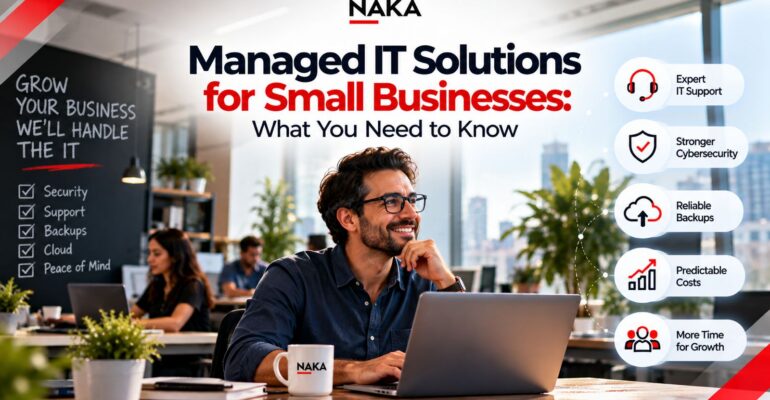
Managed IT Solutions for Small Businesses: What You Need to Know
 Naka Team
You didn’t start a business to become its IT department.
Yet for many small business owners, that’s exactly what happens. You reset passwords between client calls. You wait on hold with a software vendor while your team sits idle. You wonder whether your backups actually work, and hope you never have to find out.
There’s a better way to run technology in a small business, and it doesn’t require hiring a full IT team. Managed IT solutions for small business give you expert support, proactive protection and predictable costs, so technology runs in the background while you focus on customers and growth.
This guide covers what managed IT really means for a small business, what it should include, how pricing works, and how to choose a provider you can trust.
What managed IT means for a small business
With managed IT, an outside provider takes ongoing responsibility for your technology. Instead of calling someone when something breaks, you have a partner who monitors, maintains, secures and supports your systems every day, usually for a flat monthly fee.
For a small business, that typically means:
- A help desk your employees can call when they’re stuck
- Around-the-clock monitoring of computers, servers and networks
- Security protection and updates applied automatically
- Backups that are managed and tested
- Guidance on what to buy, upgrade or replace, and when
In short, you get the capabilities of an IT department without the cost of building one.
Break-fix vs. managed IT: why the model matters
Many small businesses still rely on “break-fix” IT. Something stops working, you call a technician, and you pay by the hour to fix it.
It sounds economical, but the incentives are backwards. A break-fix provider earns more when things go wrong. You pay for every problem, and nobody is responsible for preventing the next one.
Managed IT flips that. Your provider earns the same fee whether things go well or badly, so their incentive is to keep your systems healthy. Problems get caught early, often before your team notices. And your IT costs become a predictable line in the budget instead of a surprise invoice after a bad week.
5 myths that keep small businesses from managed IT
Myth 1: “We’re too small to need it.”
Small businesses depend on technology as much as large ones, and usually have less room to absorb downtime. When three people can’t work, that may be your whole team.
Myth 2: “We’re too small to be a target.”
Attackers often prefer smaller businesses precisely because they tend to have weaker defenses. Automated attacks don’t check your company size before they strike.
Myth 3: “It’s too expensive.”
Compare the monthly fee with the true cost of the alternative: emergency repair bills, lost productivity, staff time spent on IT, and the potential cost of a breach or data loss. For many small businesses, managed IT costs less than one full-time hire.
Myth 4: “Our tech-savvy employee has it covered.”
That person has a real job too. When IT falls on them, both roles suffer. And if they leave or go on vacation, the knowledge goes with them.
Myth 5: “We’ll lose control of our systems.”
A good provider gives you more visibility, not less. You should receive clear reporting, documentation of your environment, and full ownership of your accounts and data.
What a strong managed IT plan should include
Not every plan is created equal. These are the essentials a small business should expect.
Day-to-day support
- Help desk access by phone, email or portal, with clear response times
- Remote support for fast fixes, with onsite help when needed
- Onboarding and offboarding of employees, including devices and access
Proactive maintenance
- 24/7 monitoring of workstations, servers and network devices
- Automatic operating system and software updates
- Performance tuning to keep systems running smoothly
Security
- Endpoint protection on every device
- Firewall and network security management
- Multi-factor authentication and access controls
- Email filtering and phishing protection
- Security awareness guidance for your team
Data protection
- Automated backups of critical data, both on-site and in the cloud
- Regular restore testing, so you know backups actually work
- A documented plan for recovering from an outage or attack
Cloud and productivity
- Management of email and collaboration platforms
- Cloud services setup, migration and ongoing administration
- License management, so you don’t pay for seats nobody uses
Planning and advice
- Regular business reviews covering performance, risks and recommendations
- Hardware and software lifecycle planning, so replacements are budgeted, not emergencies
- Vendor management, so your provider deals with your internet carrier, software vendors and phone system on your behalf
If a provider’s plan leaves out security or backups, keep looking. Those are no longer optional.
How managed IT pricing works
Most providers use one of these models:
- Per user: A monthly fee for each employee, covering all their devices. Simple and easy to budget as you hire.
- Per device: A fee for each computer, server or network device. Useful when devices and users don’t line up neatly.
- Tiered packages: Bundles such as basic, standard and premium, with more services at each level.
- Custom plans: Services tailored to your specific environment, industry and compliance needs.
Your cost will depend on the number of users and devices, how complex your systems are, your security and compliance requirements, and how much onsite support you need.
Watch out for the fine print. Ask what’s not included. Common extras include project work such as office moves or major upgrades, after-hours support, onsite visits and hardware purchases. The cheapest quote isn’t the best value if everything important costs extra.
8 questions to ask before you sign
- What exactly is included in the monthly fee, and what costs extra?
- What are your guaranteed response and resolution times?
- How do you protect my business from ransomware and phishing?
- How often do you test backups, and how fast can you restore my data?
- Will I have a dedicated contact who knows my business?
- Do you have experience with businesses in my industry and its compliance rules?
- What reports will I receive, and how often will we review my IT together?
- If we part ways, how do I get my documentation, passwords and data back?
The answers will tell you a lot about how a provider operates. Vague responses are a warning sign.
Red flags to avoid
- No clear service level agreement (SLA). If response times aren’t in writing, they aren’t guaranteed.
- Security sold as an “add-on.” In today’s threat landscape, security should be built into every plan.
- Long contracts with no exit terms. Confidence in their service should show in reasonable terms.
- No proactive reviews. If you only hear from them when you call, you’re paying for break-fix with a monthly fee.
- Withholding your credentials or documentation. Your systems and data belong to you, always.
What to expect in your first 90 days
A good managed IT partnership starts with structure, not a sales handoff.
Days 1–30: Discovery and onboarding. Your provider documents your devices, software, accounts, network and vendors. Monitoring and security tools are installed, and urgent risks are addressed right away.
Days 31–60: Stabilize and secure. Updates are brought current, backups are verified, access controls are tightened, and recurring issues are resolved at the root.
Days 61–90: Plan ahead. You review findings together and agree on a roadmap for upgrades, replacements and improvements, with a budget you can plan around.
By the end of the first quarter, IT should feel noticeably calmer, with fewer interruptions, faster fixes and a clear view of what comes next.
Is managed IT right for your business?
Managed IT is likely a strong fit if:
- You have between a handful and a few hundred employees
- You don’t have a full-time IT person, or your IT person is overwhelmed
- Downtime directly affects revenue or customer service
- You handle sensitive customer, patient or financial data
- You’re planning to grow, add locations or support remote workers
- You want predictable technology costs
If you already have an internal IT team, managed services can still help. Many businesses use a co-managed model, where the provider handles monitoring, security and routine support while the internal team focuses on projects and strategy.
Managed IT for small businesses, done right with NAKA
NAKA works with small and growing businesses that want enterprise-quality IT without enterprise complexity. Our managed services combine responsive help desk support, proactive monitoring and built-in cybersecurity, so your team stays productive and your data stays protected.
Because NAKA also delivers cloud, networking, communications and security solutions, your managed IT partner can grow with you. That includes adding a new office, moving to the cloud, or strengthening security as your customers and regulators expect more. And with experience across industries like healthcare, financial services, education, retail and nonprofits, we understand the compliance and operational realities small businesses face.
Want to learn more about how managed services work in general? Read our guide, What Are Managed IT Services?
Stop managing IT. Start managing your business.
Find out what managed IT would look like for your business, including where your current risks are and what a predictable monthly plan could cover.
Book a free discovery call with NAKA or call 833.GET.NAKA today.
Frequently asked questions
How much do managed IT services cost for a small business?
Pricing depends on your number of users and devices, the complexity of your environment, and your security and compliance needs. Most providers charge a predictable monthly fee per user or per device. A discovery call is the fastest way to get an accurate estimate.
Can managed IT replace an in-house IT employee?
For many small businesses, yes. A managed provider gives you a full team with a broad range of skills for less than the cost of one full-time hire. If you already have IT staff, a co-managed model can support them instead.
Do I need to sign a long-term contract?
Terms vary by provider. Look for clear service level agreements, reasonable contract lengths and defined exit terms that guarantee you get your data and documentation back.
Will managed IT help with cybersecurity and compliance?
A strong managed IT plan includes core security protections such as endpoint security, patching, backups and access controls. For businesses with stricter requirements, providers can add advanced monitoring and compliance support.
How quickly can we get started?
Onboarding usually begins with a discovery and assessment phase. Urgent security risks can be addressed right away, with full onboarding typically completed over the first few weeks depending on the size of your environment.